> For the complete documentation index, see [llms.txt](https://help.rvops.com/central-de-ajuda-rvops-crm/llms.txt). Markdown versions of documentation pages are available by appending `.md` to page URLs; this page is available as [Markdown](https://help.rvops.com/central-de-ajuda-rvops-crm/chatbot/mensagens.md).
# Mensagens
Descubra aqui como personalizar suas mensagens!
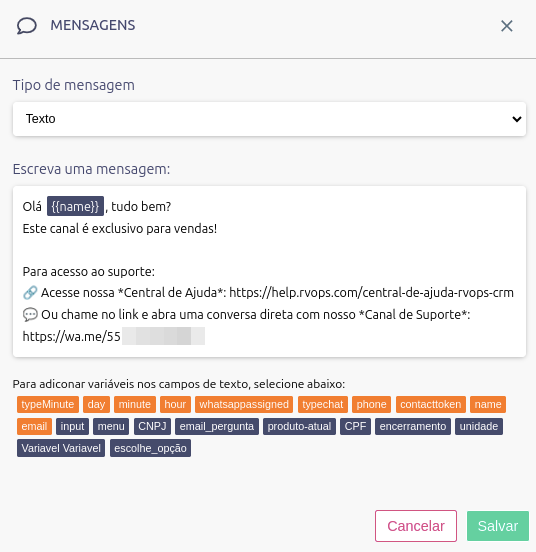
A ação de envio de mensagem pode ser adicionada em qualquer momento do fluxo do chatbot sem limitação de tamanho ou formatação. Nela você pode utilizar:
* **Emojis**
* **Links**
* **Variáveis com informações do seu contato**
* **Novo!**** Envio de arquivos (imagem, documento, vídeo)**
Ao selecionar a opção de enviar uma mídia se deve ter em mente que é preciso respeitar os limites de arquivos definidos pela Meta:
* **Imagens:** Até **5MB** nos formatos **JPEG** (.jpg) ou **PNG** (.png).
* **Vídeos:** Até **16MB** nos formatos **MP4** (.mp4) ou **3GP** (.3gp).
* **Documentos:** Até **100MB** nos formatos **TXT** (.txt), **PDF** (.pdf), **PowerPoint** (.ppt) e **Word** (.doc).
Na ação de envio de mensagem, a bolinha **vazia** significa a entrada do fluxo, já a **verde** a saída que seguira para demais ações.