> For the complete documentation index, see [llms.txt](https://help.rvops.com/central-de-ajuda-rvops-crm/llms.txt). Markdown versions of documentation pages are available by appending `.md` to page URLs; this page is available as [Markdown](https://help.rvops.com/central-de-ajuda-rvops-crm/marketing/anuncios/contas-de-anuncios.md).
# Contas de Anúncios
Aprenda aqui a como conectar suas contas de anúncios na Rvops.
Conectar suas contas de anúncios é o primeiro passo para medir custos, leads e conversões sem sair do CRM.
Na Rvops você pode conectar as contas de anuncios do **Meta Ads, Google Ads e LinkedIn Ads**.
**Por que vale a pena?**
* **Dashboards prontos** – veja gastos, cliques, leads e taxa de conversão em tempo real.
* **Leads de formulários Meta Ads** – sincronização automática (como fazer? Confira o próximo tópico).
* **Click to WhatsApp** – atribua cada lead gerado pelo botão “Enviar mensagem” à origem correta.
### Como vincular a minha conta de anuncios no CRM?
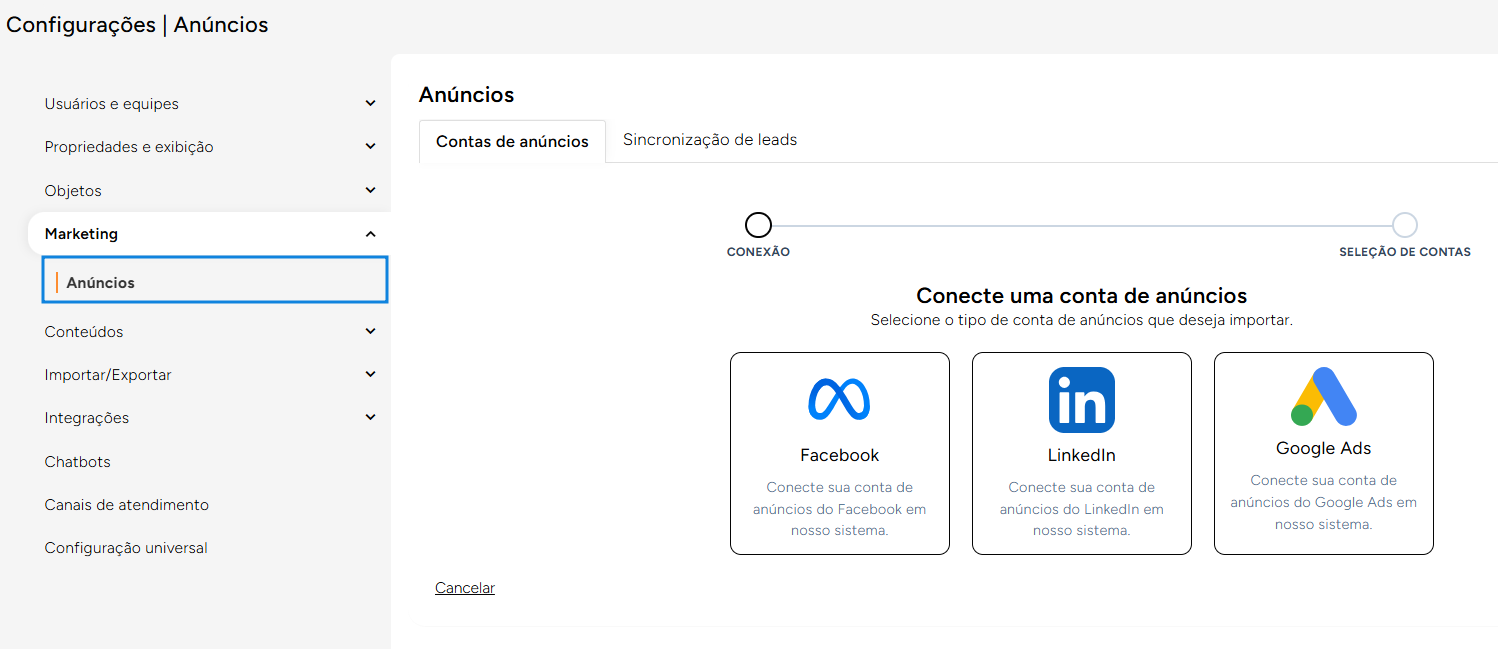
No menu lateral, acesse **Configurações → Marketing → Anúncios**.
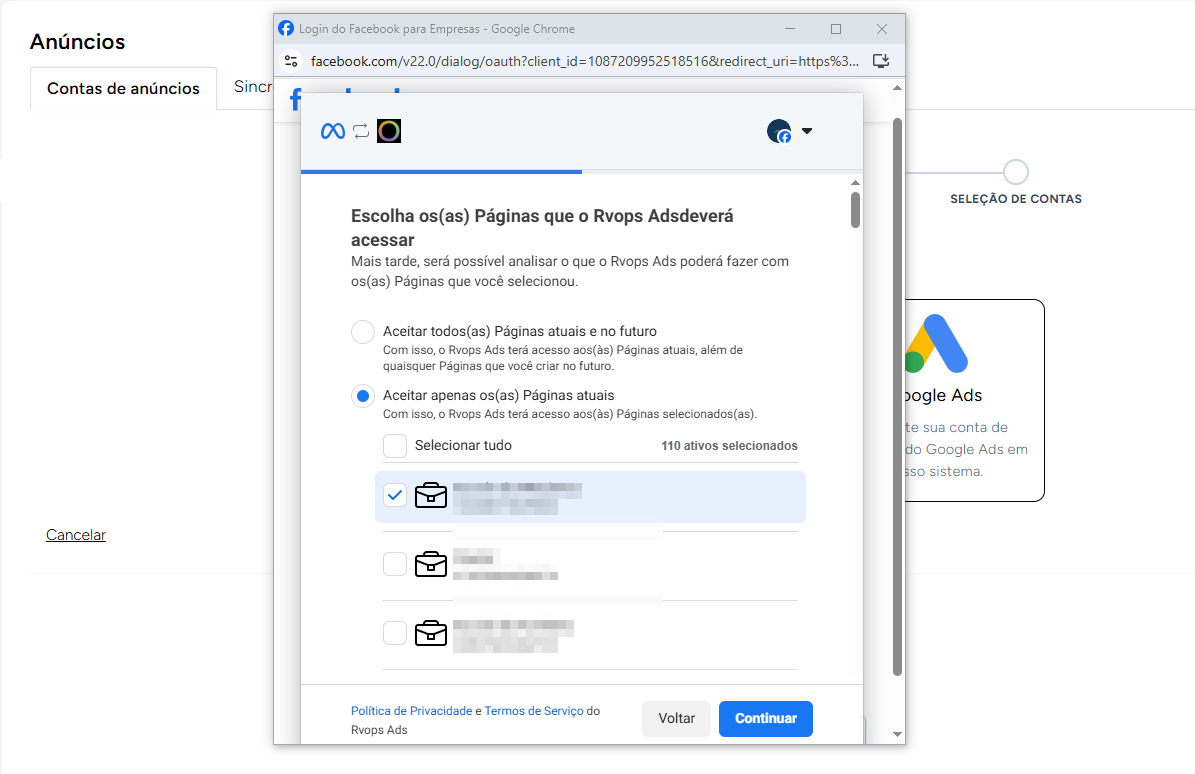
Na aba de **Contas de anúncios** escolha a plataforma desejada e clique nela para que o pop-up de vinculo apareça em sua tela.
De forma intuitiva, siga escolhendo a conta no qual quer realizar o vinculo e **permitindo todas as permissões necessárias**.
{% hint style="warning" %}
Importante que para realizar este vinculo o seu usuário possua um conta nas plataformas com as permissões de administrador na conta de anúncios.
{% endhint %}
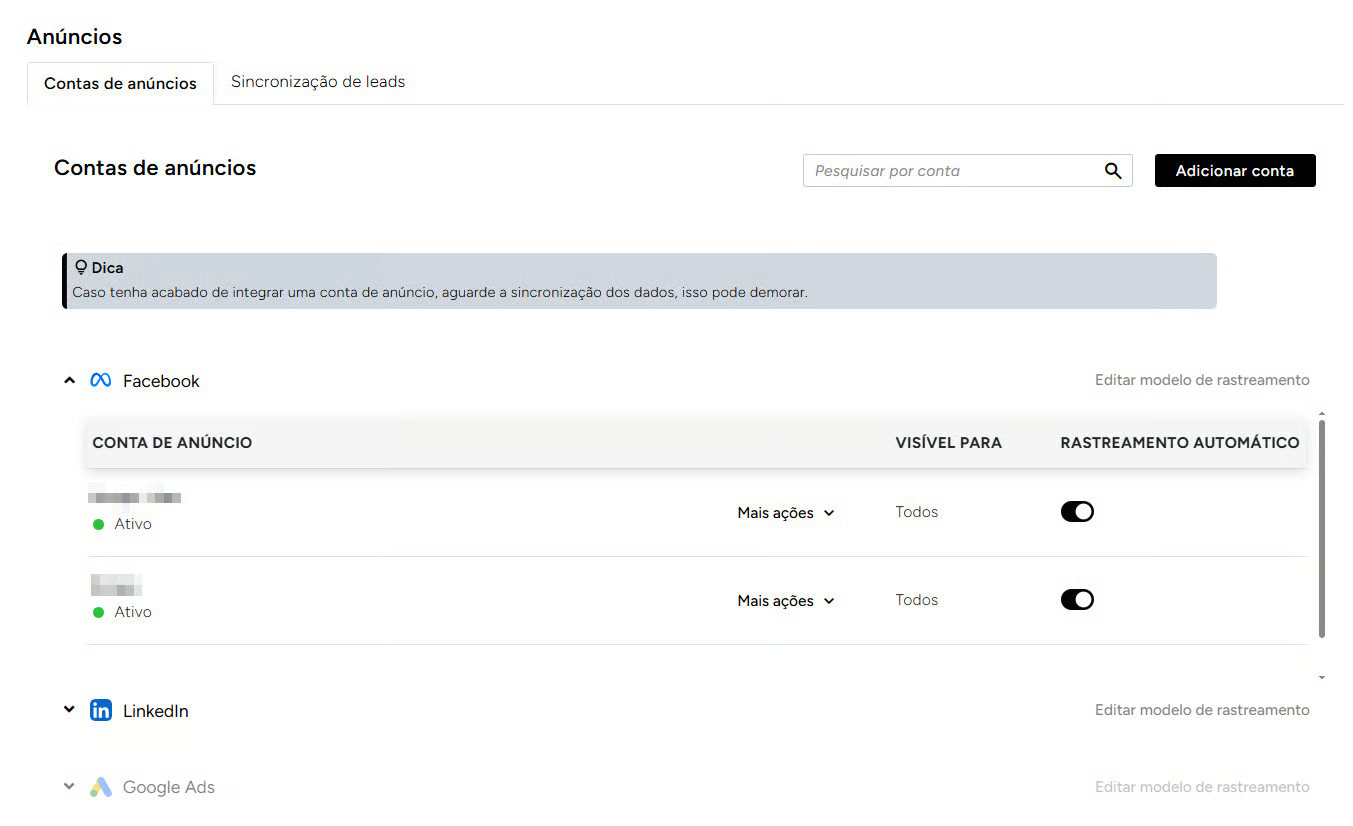
Agora, toda vez que acessar a área de anuncios será possível ver uma **lista de todas as contas** vinculadas em seu CRM e o **status de conexão**.